We have compiled a list of manufacturers, distributors, product information, reference prices, and rankings for PDF editing software.
ipros is IPROS GMS IPROS One of the largest technical database sites in Japan that collects information on.

PDF editing software Product List and Ranking from 4 Manufacturers, Suppliers and Companies | IPROS GMS

PDF editing software Product List

1~15 item / All 15 items

Displayed results

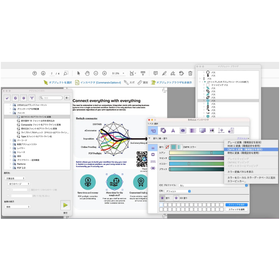
SkyPDF Professional 8

Reliable PDF software that meets the strict selection criteria of businesses, local governments, and public institutions.

This is a PDF software that achieves high speed, high compression, and operational stability, along with high security through tamper-proofing and encryption features. It is equipped with PDF creation and editing functions, and also supports advanced editing and processing such as file embedding, annotation, and electronic signatures. *The contents may be subject to change without notice for product improvements. Please check the product information page for the latest information. [Product Information] https://www.skycom.jp/product/skypdf/professional_8/

  • Electronic documents
  • PDF editing software

Added to bookmarks

Bookmarks list

Bookmark has been removed

Bookmarks list

You can't add any more bookmarks

By registering as a member, you can increase the number of bookmarks you can save and organize them with labels.

Free membership registration

SkyPDF Standard 8

Reliable PDF software that meets the strict selection criteria of businesses, local governments, and public institutions.

This is a PDF software that achieves high speed, high compression, and operational stability, along with high security through tamper-proofing and encryption features. 'SkyPDF Standard 8' comes equipped with PDF creation and simple editing functions. *Please note that the contents may change without notice for product improvements. For the latest information, please check the product page. [Product Page] https://www.skycom.jp/product/skypdf/standard_8/

  • Software (middle, driver, security, etc.)
  • PDF editing software

Added to bookmarks

Bookmarks list

Bookmark has been removed

Bookmarks list

You can't add any more bookmarks

By registering as a member, you can increase the number of bookmarks you can save and organize them with labels.

Free membership registration

SkyPDF Terminal Server Pro 8

High-speed PDF creation, viewing, and editing software for thin client and virtualization environments.

PDF software that achieves high speed, high compression, and stable operation while minimizing the load on the server in a thin client environment, along with high security through tamper-proofing and encryption features. It is equipped with PDF creation capabilities and supports advanced editing and processing, including file embedding, annotation, and electronic signatures. *The contents may change without notice for product improvements. Please check the product page for the latest information. [Product Page] https://www.skycom.jp/product/skypdf/terminal_server_pro_8/

  • Software (middle, driver, security, etc.)
  • PDF editing software

Added to bookmarks

Bookmarks list

Bookmark has been removed

Bookmarks list

You can't add any more bookmarks

By registering as a member, you can increase the number of bookmarks you can save and organize them with labels.

Free membership registration

Coherent PDF Tools

It is possible to repair corrupted files! Apply operations to any page range.

"Coherent PDF Tools" is a professional and robust tool for editing PDF files. It allows you to split and merge PDF files while retaining bookmarks, as well as apply operations by specifying page ranges such as 1-3, 1-end, 6-30 even, etc. Furthermore, you can combine multiple operations into a single command. Please feel free to contact us if you have any requests. 【Features (partial)】 ■ Apply operations to any page range ■ Merge or split pages ■ Copy, delete, or add bookmarks ■ Create a table of contents from bookmarks ■ Stamp logos, shapes, watermarks, page numbers, multi-line text, and more *For more details, please refer to the related links or feel free to contact us.

  • Company:B7
  • Price:Other
  • Document and Data Management
  • PDF editing software

Added to bookmarks

Bookmarks list

Bookmark has been removed

Bookmarks list

You can't add any more bookmarks

By registering as a member, you can increase the number of bookmarks you can save and organize them with labels.

Free membership registration

A-PDF.com

A variety of products are lined up, including PDF Editor for Mac and PDF Restrictions Remover!

A-PDF.com is a product that provides tools for displaying and modifying PDF (Portable Document Format) files. We offer PDF tools for Windows, such as PDF Merger and Split PDF Content Splitter. Please feel free to contact us if you have any inquiries. 【Main Products (Excerpt)】 ■PDF Editor for Mac ■PDF Merger PDF ■Split PDF Content Splitter ■PDF Restrictions Remover ■PDF Watermark ■PDF Watermark Service *For more details, please refer to the related links or feel free to contact us.

  • Company:B7
  • Price:Other
  • Software (middle, driver, security, etc.)
  • PDF editing software

Added to bookmarks

Bookmarks list

Bookmark has been removed

Bookmarks list

You can't add any more bookmarks

By registering as a member, you can increase the number of bookmarks you can save and organize them with labels.

Free membership registration

PDF correction and preflight tool 'Enfocus PitStop'

Provides high operability and flexibility through PDF checking and editing! Excellent manual editing tools.

"Enfocus PitStop" is a PDF editing and preflight tool that allows for easy inspection and correction of a wide range of PDFs. It offers various manual editing tools and features for verifying PDF details, making it effective for checking problematic PDFs. Additionally, when there is a need to check PDFs for purposes such as web publication or printing, the preflight feature allows for a one-click check of the entire PDF. [Features] ■ Excellent manual editing tools ■ Action feature to execute corrections with one click ■ Preflight feature to perform checks with one click *For more details, please refer to the related links or feel free to contact us.

  • Company:Too
  • Price:Other
  • Other Software
  • PDF editing software

Added to bookmarks

Bookmarks list

Bookmark has been removed

Bookmarks list

You can't add any more bookmarks

By registering as a member, you can increase the number of bookmarks you can save and organize them with labels.

Free membership registration

Announcement of Free Online Seminar for "PDFelement"

Demonstrating a "low-cost, high-efficiency" PDF workflow accelerated by AI and OCR!

Wondershare Software Co., Ltd. will hold a free online seminar to promote daily document operations and paperless initiatives while keeping costs down, utilizing the PDF editing software 'PDFelement'. This seminar will focus on the common challenge faced by many companies and organizations: "digitizing analog information." We will provide detailed guidance on specific steps to efficiently convert paper materials into digital data, as well as safe methods for implementing paperless operations with security ensured. We sincerely look forward to your participation. 【Event Overview】 ■ Date and Time: April 3, 2026 (Friday) 15:00 - 15:40 ■ Participation Fee: Free (pre-registration required) ■ Format: Online (Zoom) *For more details, please download the PDF or feel free to contact us.

  • Technical Seminar
  • PDF editing software

Added to bookmarks

Bookmarks list

Bookmark has been removed

Bookmarks list

You can't add any more bookmarks

By registering as a member, you can increase the number of bookmarks you can save and organize them with labels.

Free membership registration

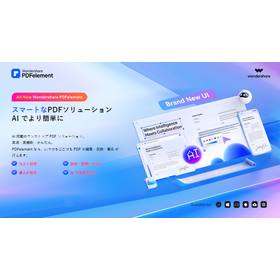
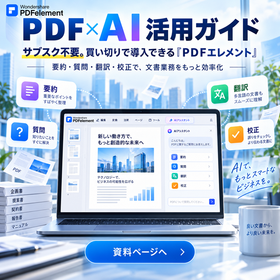
All-New Wondershare PDFelement

Smart PDF solutions, made easier with AI. We provide packages optimized for your business.

This document is an introduction summarizing the features and implementation value of the AI-powered one-stop PDF solution "PDFelement." It explains the new features added in V12, such as the ability to switch between multiple AI models, specialized translation, smart redaction, and annotation summarization, as well as key features and differentiating functions. Additionally, it includes industry-specific use cases, implementation value, and rules for consuming AI credits, so please make use of it when selecting a product. [Contents (partial)] ■ About PDFelement ■ Newly added features ■ Key features ■ Differentiating features ■ Implementation value ■ Typical use cases *For more details, please download the PDF or feel free to contact us.

  • Other information systems
  • PDF editing software

Added to bookmarks

Bookmarks list

Bookmark has been removed

Bookmarks list

You can't add any more bookmarks

By registering as a member, you can increase the number of bookmarks you can save and organize them with labels.

Free membership registration

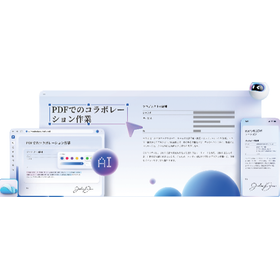
PDF editing software 'PDFelement'

For PDF editing, conversion, and OCR, this is the one! Smart, simple, AI-equipped PDF software.

"PDFelement" is a PDF editing software that allows you to create, compress, merge, and convert PDF files all in one place. You can also convert to versatile formats such as Word, Excel, PNG, and JPG with just one click. With the OCR feature, you can quickly digitize paper documents. It is also recommended for promoting digital transformation (DX). Additionally, the AI assistant Lumi supports editing and reading PDF documents. 【Features】 ■ Freely add PDF writing, forms, images, and shapes ■ Convert PDF files to Office formats while maintaining high quality ■ Recognize text from images and scanned paper data ■ Add comments with notes or text ■ Extract, replace, or delete PDF pages *For more details, please download the PDF or feel free to contact us.

  • Other information systems
  • PDF editing software

Added to bookmarks

Bookmarks list

Bookmark has been removed

Bookmarks list

You can't add any more bookmarks

By registering as a member, you can increase the number of bookmarks you can save and organize them with labels.

Free membership registration

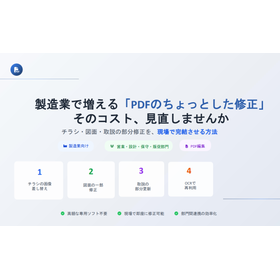
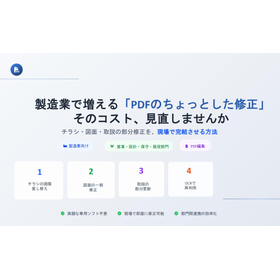
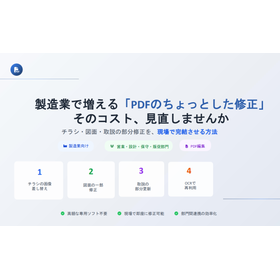
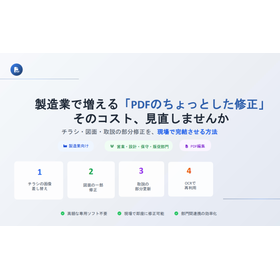
A method to complete partial corrections of flyers, drawings, and manuals on-site.

【No need for expensive dedicated software】Minor modifications to flyers, drawings, and manuals can be completed on-site immediately. Eliminates waiting for requests to related departments and speeds up customer response.

This document focuses on the issue frequently encountered in manufacturing sites regarding the need to "modify only a part of a PDF document," and summarizes methods to improve operational efficiency through a system that allows for on-site resolution. It introduces approaches to eliminate bottlenecks such as the lack of original data, delays caused by waiting for requests to be fulfilled by responsible parties, and back-and-forth communication. The document explains specific use cases required on-site, including image replacements for product flyers, model number corrections, annotation modifications for scanned design drawings, and organizing and compressing pages of user manuals and parts lists before delivery. Additionally, it proposes measures to simultaneously achieve quality adjustments and information control on-site, such as redacting confidential information and implementing viewing restrictions before distributing documents externally, thereby safely accelerating operations. *For product details, please refer to the document. Feel free to contact us with any inquiries.*

  • Document and Data Management
  • PDF editing software

Added to bookmarks

Bookmarks list

Bookmark has been removed

Bookmarks list

You can't add any more bookmarks

By registering as a member, you can increase the number of bookmarks you can save and organize them with labels.

Free membership registration

SkyPDF Touch Ink for win 8

Using a Windows tablet to input handwritten text/electronic signature into a PDF.

Various forms and documents (contracts, receipts, inspection reports, application forms, request forms, reports, customer surveys, etc.) that have been operated on paper until now can be converted to PDF and displayed on a Windows tablet. You can input handwritten text and signatures with a natural writing feel, stress-free, and save and store them as electronic data. This allows for the preservation of the benefits of handwriting while digitizing and moving towards a paperless environment. We promote a transformation in work style that actively utilizes Windows tablets and PDFs instead of paper. This product is an optional product of "SkyPDF Professional 8." *The contents may change without notice for product improvements and other reasons. [Product Information] https://www.skycom.jp/product/skypdf/touchink_for_win_8/ [Product Video] https://www.youtube.com/embed/8UJRrrxH7Aw?rel=0 ▼ Skycom's "SkyPDF Paperless/Electronic Signature Solution" accelerates business paperless initiatives and improves operational efficiency. https://www.skycom.jp/at/dink/

  • Electronic documents
  • PDF editing software

Added to bookmarks

Bookmarks list

Bookmark has been removed

Bookmarks list

You can't add any more bookmarks

By registering as a member, you can increase the number of bookmarks you can save and organize them with labels.

Free membership registration

PDF編集ソフト『PicoPDF』<ビジネス版>

かんたん操作でPDF編集!ネットに文書をアップロード不要で編集できるので安全です

『PicoPDF』はPDFファイルの作成や編集、署名などが簡単にできる使いやすい PDF編集ソフトです。 文書に画像を挿入することが可能。文書内の思いどおりの場所に簡単に素早く 画像を挿入できるのはもちろん、画像のサイズ変更や移動もらくらくです。 また、当製品を使えば、契約書や請求書など様々なPDF書類に署名を 挿入することができます。 【特長】 ■誰でも簡単に素早くPDFを編集が可能 ■文字や画像を差し替えが可能 ■電子署名をかんたん挿入 ■新しい文章や画像をPDFに挿入可能 ■ダウンロード後すぐに編集開始 ※詳しくは関連リンクをご覧いただくか、お気軽にお問い合わせ下さい。

  • Company:B7
  • Price:Other
  • Software (middle, driver, security, etc.)
  • PDF editing software

Added to bookmarks

Bookmarks list

Bookmark has been removed

Bookmarks list

You can't add any more bookmarks

By registering as a member, you can increase the number of bookmarks you can save and organize them with labels.

Free membership registration

RAD PDF

Feature-rich PDF form filler! It is possible to implement a unique interface.

"RAD PDF" is a product that can be directly integrated into ASP.NET, used for access control of PDF content, dynamic population of PDF forms, and making changes to PDFs easier. It provides unparalleled tools for analyzing and editing PDF files on both the client side and server side. Please feel free to contact us when needed. 【Features】 ■ Client-side PDF editor ■ Interactive PDF form designer ■ Protection and security of PDF content ■ Integration of PDFs into workflows ■ Integration of PDFs into workflows using ASP.NET or ASP.NET Core/5/6/7 *For more details, please refer to the related links or feel free to contact us.

  • Company:B7
  • Price:Other
  • Software (middle, driver, security, etc.)
  • PDF editing software

Added to bookmarks

Bookmarks list

Bookmark has been removed

Bookmarks list

You can't add any more bookmarks

By registering as a member, you can increase the number of bookmarks you can save and organize them with labels.

Free membership registration

CAD-KAS

There are various categories of software, such as PDF Editor and Barcode Creator!

"CAD-KAS" offers over 200 software products. There are various categories of software including PDF tools, CAD tools, printing & design, business & office, photo & image, video & DVD, XPS tools, hobbies & leisure, tools & utilities, internet & websites, sound & music, games, and developer tools. Please feel free to contact us if you have any inquiries. 【Partial Lineup】 ■PDF Editor ■PDF to DXF ■Font to DXF and G-Code ■Catalog Designer ■Scanned Text Editor *For more details, please refer to the related links or feel free to contact us.

  • Company:B7
  • Price:Other
  • Software (middle, driver, security, etc.)
  • PDF editing software

Added to bookmarks

Bookmarks list

Bookmark has been removed

Bookmarks list

You can't add any more bookmarks

By registering as a member, you can increase the number of bookmarks you can save and organize them with labels.

Free membership registration

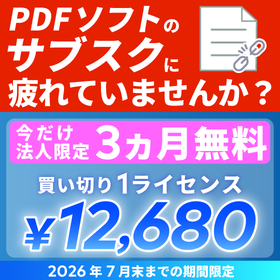
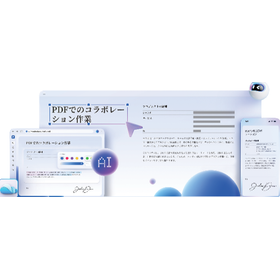
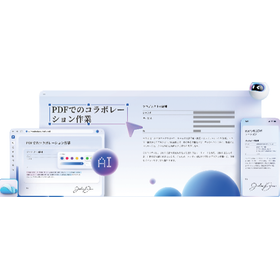
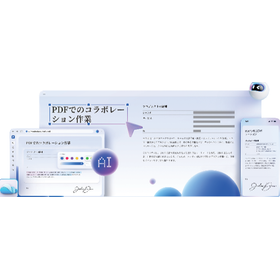
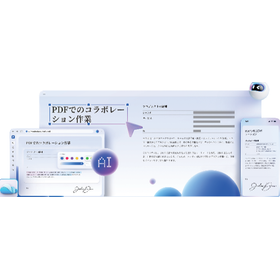
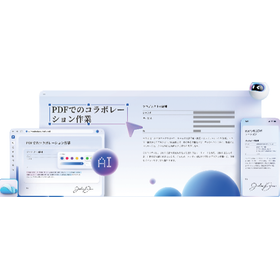
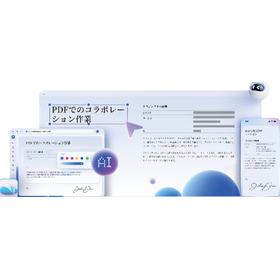
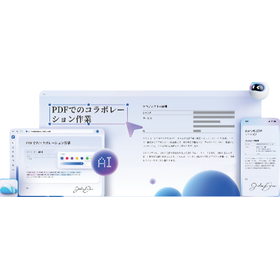
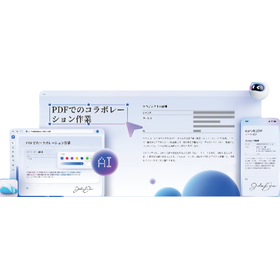
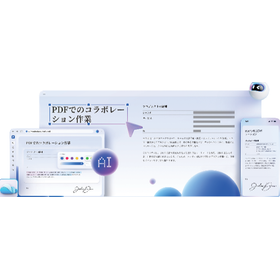
PDF編集ソフト『PDFelement』

買い切り税込12,680円。多様な注釈機能で直感的なレビューが可能。法人限定で3カ月間無料トライアル実施

『PDFelement』は、多様な注釈機能によりPDF上でのレビューや フィードバックを可視化し、部門間の認識共有を円滑にすることで 業務の効率化をサポートする、買い切り税込12,680円のPDF編集ソフトです。 ハイライト、付箋、校正記号、図形、手描きなど多様な注釈機能を備え、 PDF化したCAD図面・設計資料などへの修正指示や共有を直感的に行えます。 さらに、複数PDFファイルの変換や結合、分割、圧縮、データ抽出などを 一括でまとめて実行可能。繰り返し作業の削減や業務負荷の軽減に貢献します。 【特長】 ■買い切り税込12,680円(法人・チーム向け価格) ■PDFの編集、変換、OCR、保護などに一括で対応 ■分割や圧縮、暗号化など幅広い機能を搭載 ■AI機能によって文書業務のワークフローを加速 ■部門間での認識共有を円滑にし、レビュー業務の効率化に貢献 ★現在、法人限定で3カ月間無料トライアルを実施中(2026年7月末まで)  ご希望の方はお問い合わせフォームよりご連絡ください。 ※製品の詳細は資料をご覧ください。お問い合わせもお気軽にどうぞ。

  • Document and Data Management
  • PDF editing software

Added to bookmarks

Bookmarks list

Bookmark has been removed

Bookmarks list

You can't add any more bookmarks

By registering as a member, you can increase the number of bookmarks you can save and organize them with labels.

Free membership registration